9.13 Electronic nameplate
The electronic nameplate designed for some industrial robots is installed in the robot body. It is mainly used to save the data of the robot body and avoid the loss of basic data after the replacement of the industrial computer or the controller cabinet.
The software function of electronic nameplates is mainly divided into two parts: Controller and RobotAssist software. The controller carries out the data reading, verification, and coverage of the electronic nameplate, while the RobotAssist software issues operation commands related to the electronic nameplate and displays data.
After the controller is turned on, it will first check if there is an electronic nameplate. If there is an electronic nameplate, it will read the data normally, perform data verification, and store the verification result. If there is no electronic nameplate and the user does not choose to use the electronic nameplate, it will directly operate with the controller data. If there is no electronic nameplate and the user chooses to use the electronic nameplate, a prompt "there is no electronic nameplate" will appear. After Robot Assist is connected to the controller, it will first check the verification results of the electronics nameplate data in the controller, and give different pop-up prompts based on the verification results. Users can simply follow the pop-up prompts.
If the data in the electronic nameplate is successfully used, it will overwrite the data in the controller by default.
There are three situations where pop-up prompts appear:
(1) If an electronic nameplate is detected and its data is different from that in the controller, a pop-up window will prompt "Do you want to use the data in the electronic nameplate?". Select "Yes" to use the data in the electronic nameplate and "No" to use the data in the controller;
(2) After choosing to use the data in the electronic nameplate once, the electronic nameplate data will be used by default after restart. If the data in the controller is again different from that in the electronic nameplate, a pop-up window will prompt, "Do you want to use the data in the electronic nameplate?";
(3) If the electronic nameplate is not detected during startup, the controller data will be used by default. If the electronic nameplate data is used once and cannot be detected after restart, a pop-up window will prompt "Do you want to use the data in the controller?". Select "Yes", the controller data will be used normally. Select "No", the controller will be in a malfunction state and cannot be operated. In this case, restart the controller to solve the problem.
|
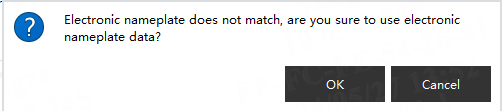
When the model data in the electronic nameplate does not match that in the controller, the data in the electronic nameplate cannot be used. To use the electronic nameplate data successfully, please ensure the model data in the controller is as same as that in the electronic nameplate. |
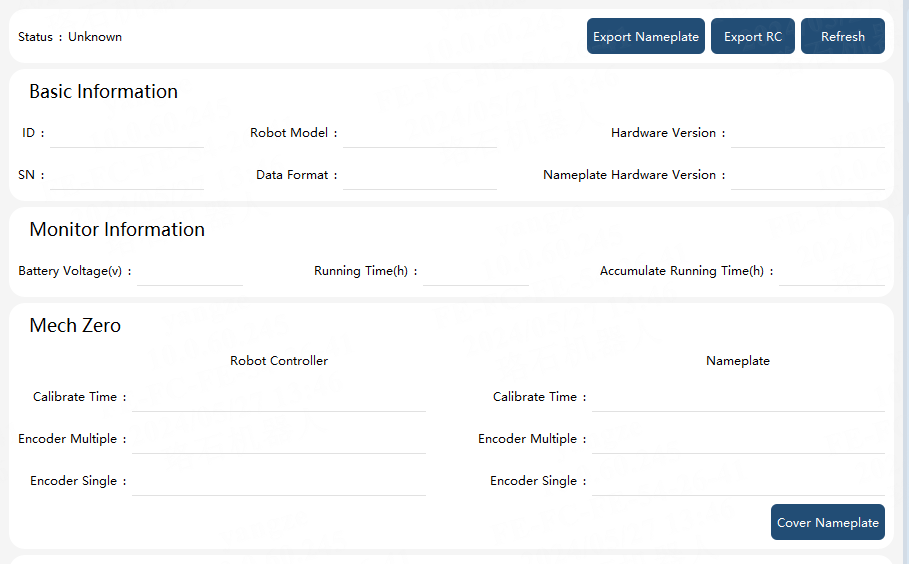
Click "Settings"->"Electronic nameplate" in turn on the HMI software interface, and the information in the electronic nameplate will appear. If the controller detects an electronic nameplate, whether the electronic nameplate is used or not, this interface will display the information of the relevant parameter segments in the electronic nameplate. The status of the electronic nameplate can be determined through the status field on this interface, with three parameters representing: electronic nameplate status, matching of electronic nameplate data with controller data, and whether the "use electronic nameplate" button is clicked when starting up (as long as the "use electronic nameplate data" button is clicked, regardless of whether the data is successfully used, this position will be displayed as used), as shown in the following figure:

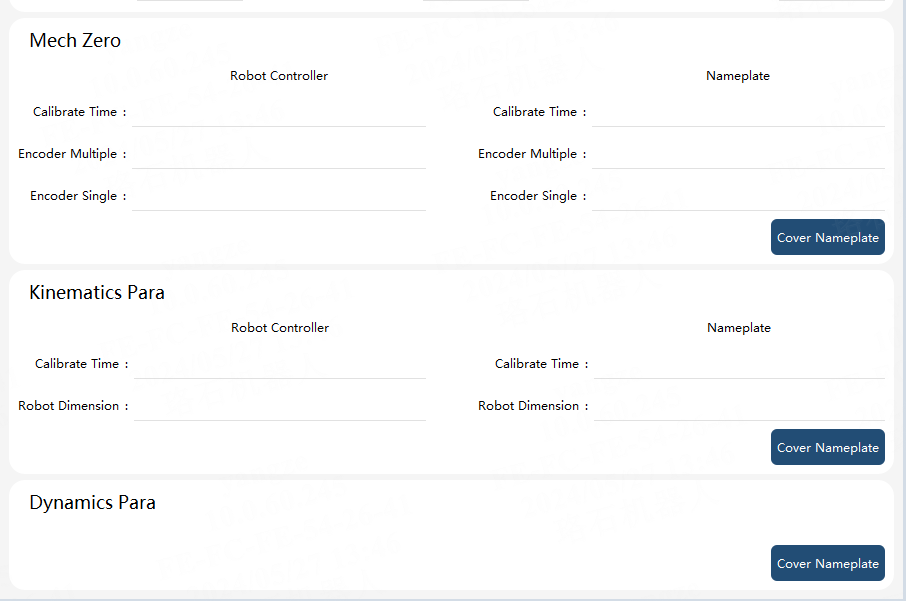
If an electronic nameplate is not detected during startup, the interface is as shown in the figure below:

| Function | Explanation |
|---|---|
Export RC |
Export the data of relevant parameter segments in the controller to a file |
Export nameplate |
Export the data in the electronic nameplate to a file |
Refresh |
Synchronize the information of the electronic nameplate |
Basic information |
The parameter segments about the basic information of the electronic nameplate. It is unable to be modified manually |
Battery voltage |
The actual battery voltage of the encoder. It is measured during startup and every 24 hours after a startup. It is unable to be modified manually |
Running time |
When the motor runs, the running time increases accordingly. The value is refreshed every hour on the interface. This parameter cannot be modified manually; |
Mechanical zero parameters and kinematic parameters |
The current values of the controller and the electronic nameplate will be displayed on the interface, respectively. This parameter cannot be modified manually; |
Dynamic parameters |
The parameter segment is not displayed on the interface; |
Overwrite electronic nameplate data |
Overwrite the data in the electronic nameplate with the data in the controller. |
|