9.9 Body parameters
The body parameters include RD parameters, DH parameters, reduction ratio, overload coefficient, coupling coefficient, and other robot body related data. The parameters on this page directly affect the accuracy of the motion. Please do not modify them without the permission and assistance of the robot manufacturer.
Note: Starting from Version 3.0, all models except for the PCB 3-axis/4-axis models use DH parameters.
9.9.1 RD parameters
RD parameters describes the relative pose relationship between the robot’s link frames. They are the foundation for robot kinematics.
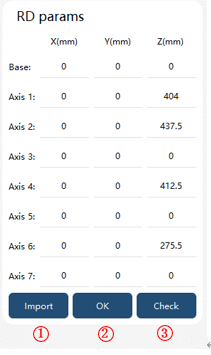
① |
Import: Click to select the RD parameter file, which is generally not necessary; |
② |
OK: After manually modifying the RD parameters, click "OK" to take effect; |
③ |
Verification: After clicking, the current RD parameters and system default RD parameters will be displayed; |
Note:
There will be a set of default parameters before the robot leaves the factory. Users need to confirm the rationality of RD parameters before modifying or importing parameters. After the RD parameter is modified, the controller needs to be restarted to take effect.
9.9.2 DH parameters
DH parameters describe the relative pose relationship between the robot’s link frames. They are the foundation for robot kinematics.
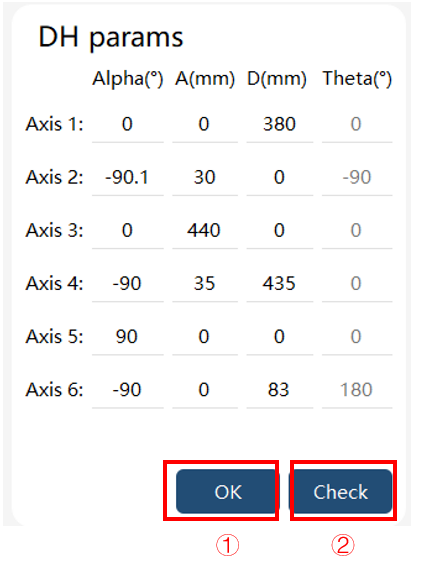
① |
Confirm: After manually modifying the DH parameters, click "Confirm" to apply the changes; |
② |
Verification: After clicking, the current DH parameters and system default DH parameters will be displayed; |
Note:
There will be a set of default parameters before the robot leaves the factory. Users need to confirm the rationality of DH parameters before modifying or importing parameters. After the DH parameters are modified, the controller needs to be restarted for the changes to take effect.
The DH parameters are of the improved type, and users can only modify the parameters Alpha, A, and D.
9.9.3 Reduction ratio
The reduction ratio is the parameter of the reducer in each axis of the robot. Do not modify without permission and assistance from the robot manufacturer.
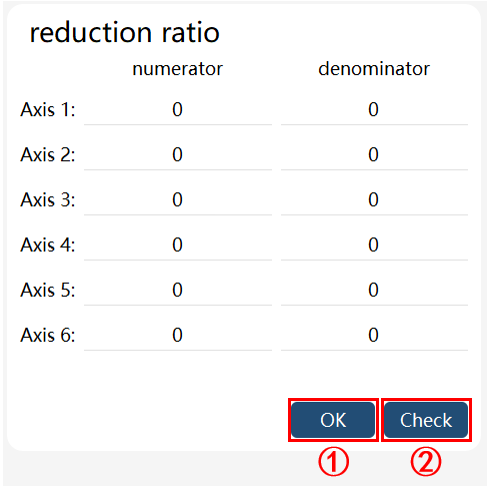
① |
OK: After manually modifying the reduction ratio parameters, click "OK" to take effect; |
② |
Check: After clicking, the current reduction ratio parameters and system default reduction ratio parameters will be displayed; |
9.9.4 Overload coefficient
Motor overload coefficient setting.
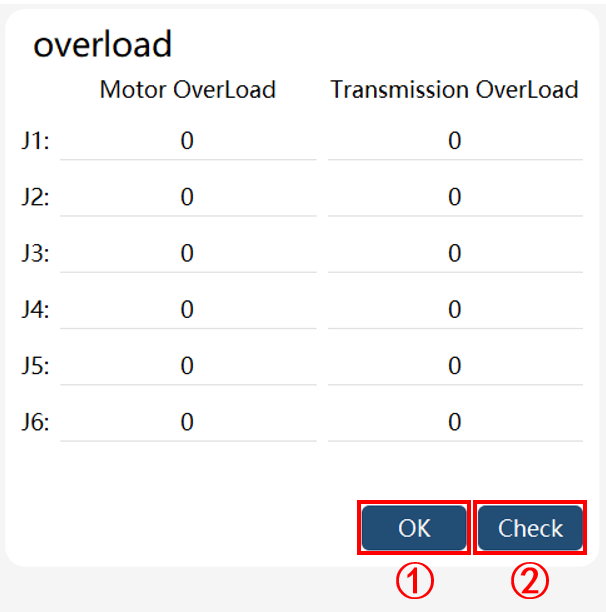
① |
OK: After manually modifying the overload coefficient parameters, click "OK" to take effect; Please modify it carefully with the support of the manufacturer! |
② |
Check: After clicking, the current overload coefficient parameters and system default overload coefficient parameters will be displayed; |