Configure Qt Creator
Complete Install MSVC and Install Qt first.
About Qt Creator
Qt Creator is the official Qt integrated development environment for editing, building, and debugging Qt projects.
Rokae+ client plugins on Windows are built in Qt Creator with a Qt + MSVC kit. This guide uses Qt 5.15.2 and MSVC 2022 (toolset v143).
MSVC 2019 64-bit, selected when installing Qt, is the name of the prebuilt Qt libraries in the installer. It is not the MSVC compiler on the machine. The kit must include both.
Configuration steps
1. Open Preferences
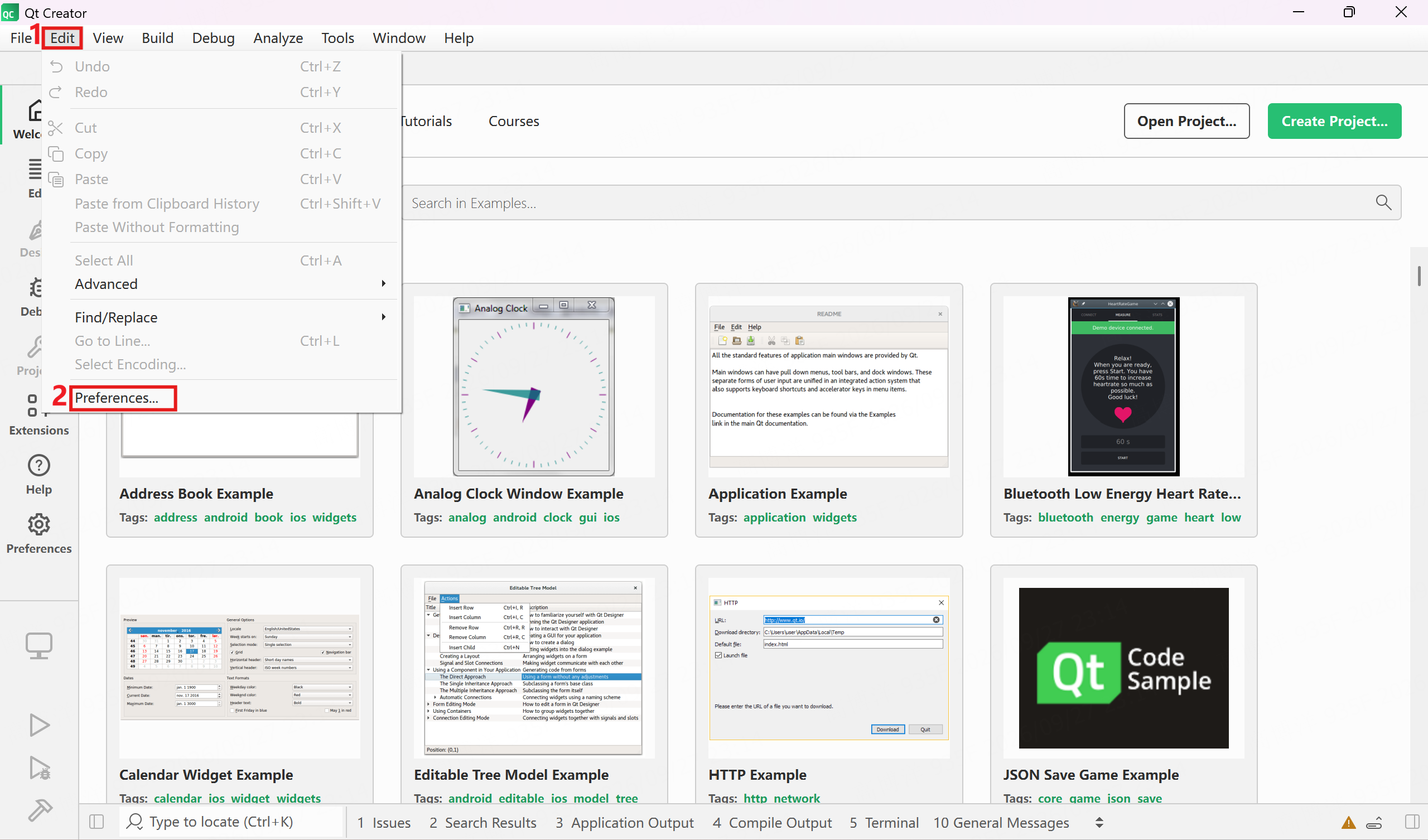
Start Qt Creator and choose Edit → Preferences....
2. Confirm the default kit
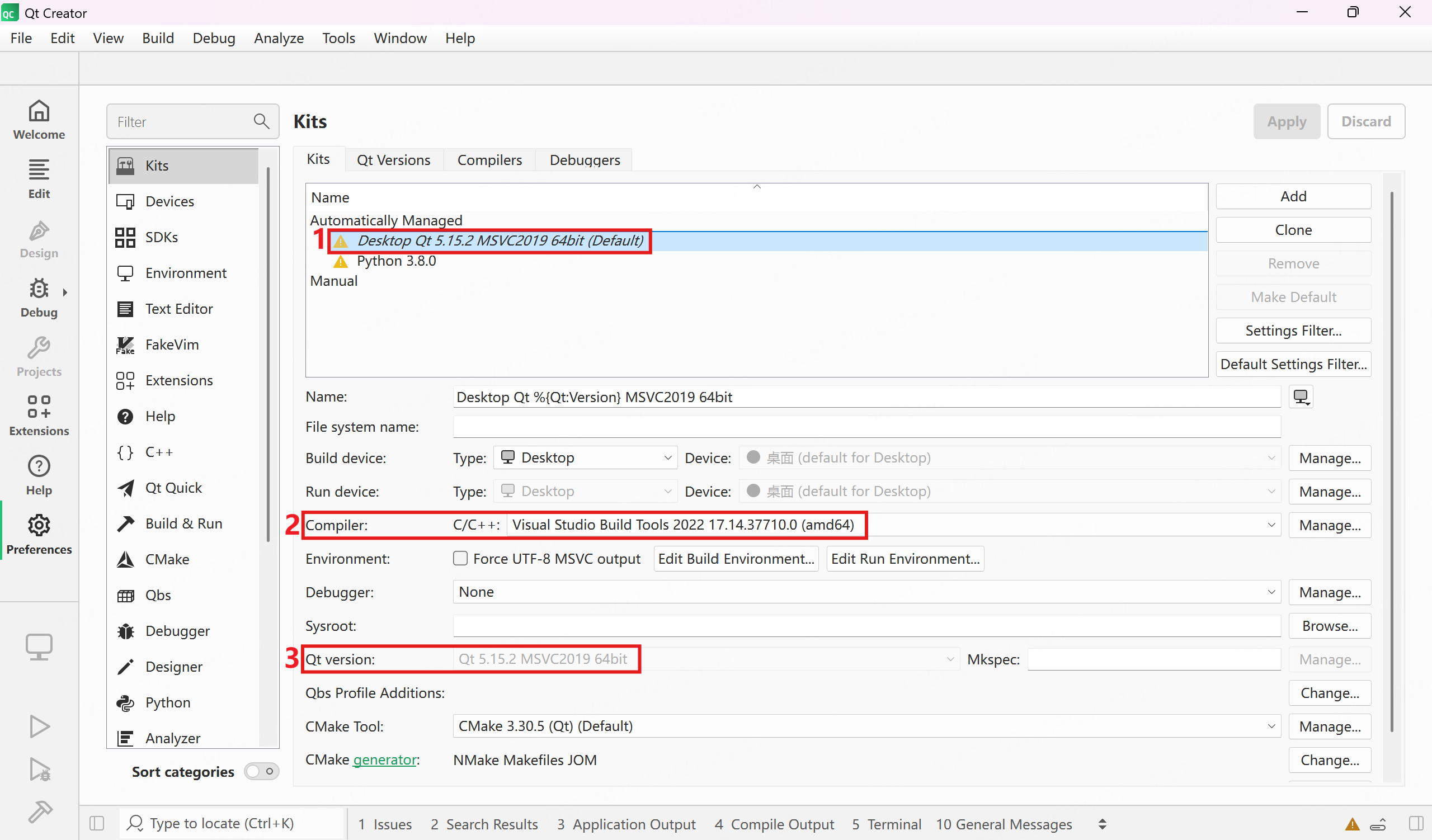
Open Kits and confirm that the default kit is usable. Focus on:
- Compiler: bound to MSVC on this machine (this guide uses MSVC 2022 / v143; the UI often shows Visual Studio Build Tools 2022 amd64)
- Qt version: bound to Qt 5.15.2 MSVC 2019 64-bit
It is sufficient that the kit shows no red error. If Debugger is None, builds are usually unaffected; when debugging is needed later, it can be added with Qt Maintenance Tool.