Communication Module
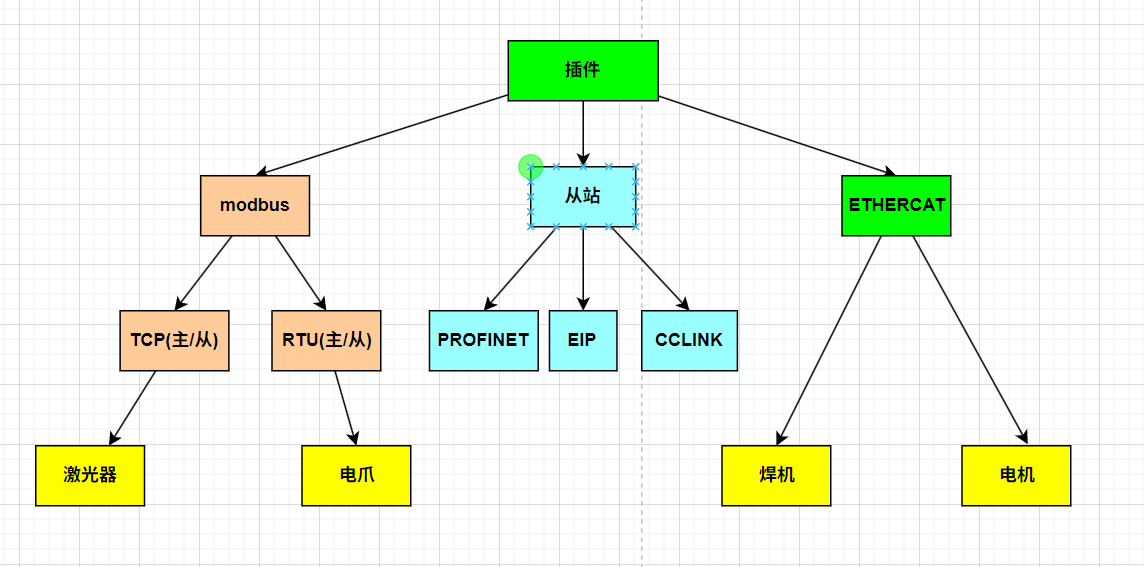
Plugins can act as master or slave stations and support protocols such as Modbus. They can be used to control lasers, end-effector grippers, welders, and similar devices.
EtherCAT Communication
Read and control slaves through the interface.
Users can inherit EcatBaseAPI, initialize it in launch, configure the corresponding hardware connections and data addresses, and call APIs such as SetPdoValue to implement functionality.
Usage example:
#include "ehtercat/ecat_base_api.hpp"

class WeldingMachine:public xcore_api::ecat::EcatBaseAPI{
public:
    WeldingMachine(int slave_id):xcore_api::ecat::EcatBaseAPI(slave_id){
        RegisterVolPdo();
    }
    virtual ~WeldingMachine(){}
    bool Init(){
        return InitEcat();
    }
    int RegisterVolPdo(){
        uint16_t index = 0;
        uint16_t byteoffs = 4;
        uint16_t bytelen = 4;
        // Assign data to m_pdo_vol
        return RegisterPdo(m_pdo_vol,index,byteoffs,bytelen);
    }
    int SetVol(const int vol){
        int value = vol;
        return SetPdoValue(m_pdo_vol,&value);
    }
private:
    xecat::PdoAPI m_pdo_vol;
}
// Use the interface to set voltage
int slave_id = 10;
WeldingMachine obj(slave_id);
if(obj->Init()){
    obj->SetVol(10);
};
Analog Communication
Read and set IO signals, register values, and similar data through the interface.
#include "io/analog_api.hpp"
auto ptr = xcore_api::io::Analog::getInstance();
ptr->SetDOValue("DO0_1",false);
ptr->WriteBoolRegister("regname",true,0);
Register Function Codes
Custom function codes can be implemented.
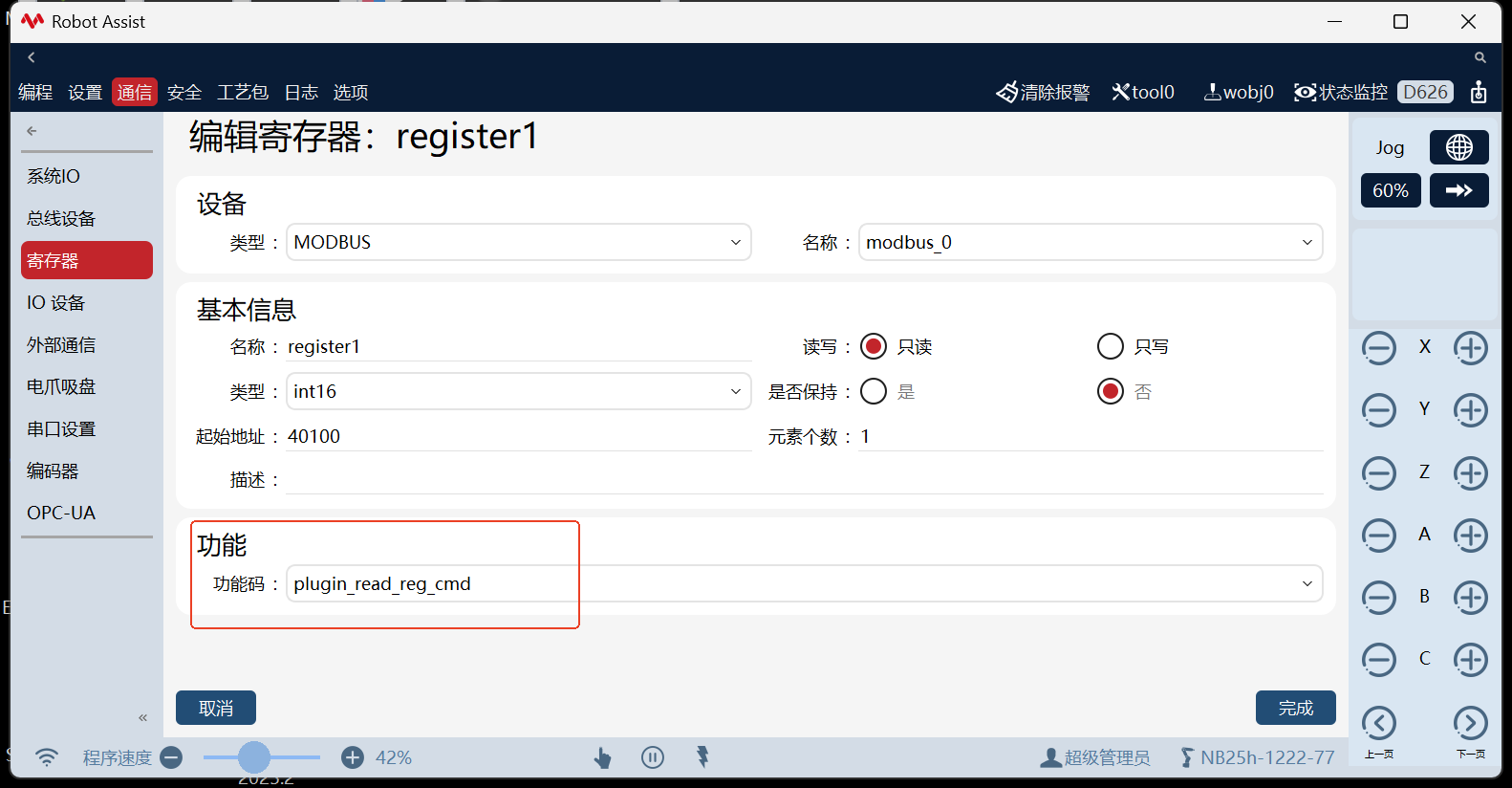
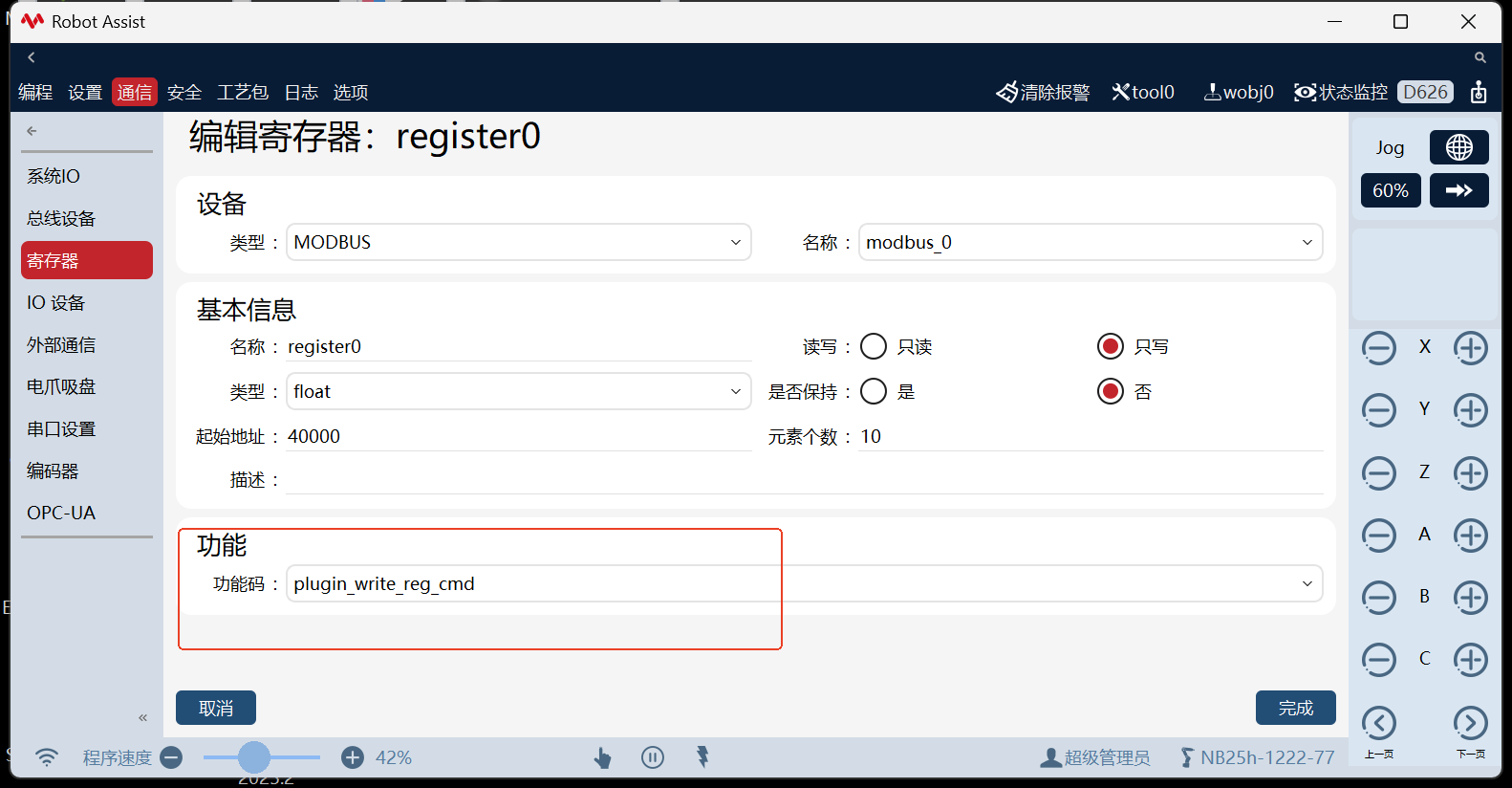
In the plugin, use the function code API to declare and register function codes so they appear in the HMI function code list.
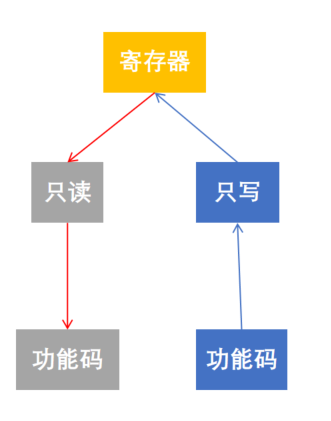
- Bind read-only registers: When register values change, the function code logic is invoked.
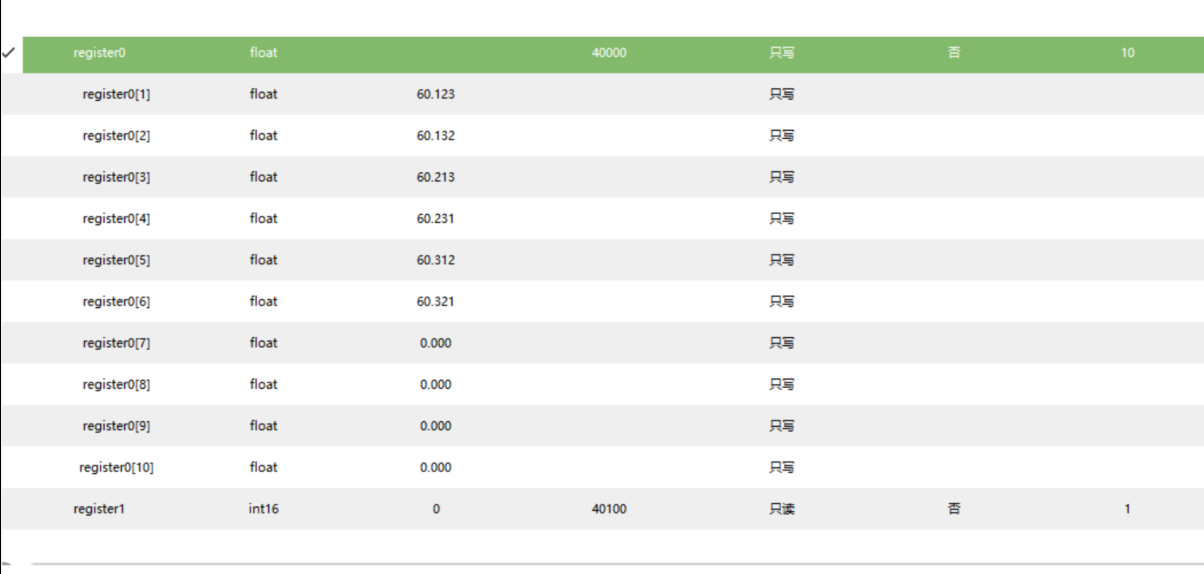
- Bind write-only registers: The function code function runs and writes to registers.
This enables custom register communication.
Usage example:
// 1. Declare function code class
DECLARE_FUNCTION_CODE_API(PluginReadReg);

/**
 * @brief Implement function code class
 */
FUNCTION_CODE_EXECUTE_API(PluginReadReg){
    std::vector<int> v;
    ReadIntRegValue(v);
    std::string str;
    for(auto &item:v){
        str += std::to_string(item) + ",";
    }
    LOG_INFO<<"PluginReadReg:"<<str;
    return true;
}

/**
 * @brief Create function code instance
 */
std::shared_ptr<xreg::FuncCodeAPI> makeReadRegCmd(){
    xreg::FuncCodeCfgAPI cfg;
    cfg.SetName("plugin_read_reg_cmd");
    cfg.SetSupportType({xreg::RegTypeAPI::BIT,xreg::RegTypeAPI::BOOL,xreg::RegTypeAPI::BYTE,xreg::RegTypeAPI::INT16,xreg::RegTypeAPI::INT32});
    cfg.SetLen(1);
    cfg.SetWriteable(false);
    return std::make_shared<PluginReadReg>(cfg);
}

// 4. Register the function code class with the control system during initialization
xreg::RegFuncCodeAPI(makeReadRegCmd());
Examples:
Modbus Communication
Modbus TCP master example:
void ModbusExample() {
    std::thread t([](){
        using namespace xcore_api::fieldbus;
        ModbusCfgAPI cfg(DeviceTypeAPI::MODBUS_TCP_MASTER);
        cfg.SetName("plugin_master");
        // Set the slave IP address
        cfg.SetIp("192.168.2.213");
        // If the slave does not support coil reads and similar operations, set to 0; otherwise functionality may be affected
        cfg.SetCoilsNum(0);
        cfg.SetDiscInputNum(0);
        FieldbusAPI api(cfg);
        int i = 0;
        uint16_t src[10] = {0};
        uint16_t dest[10] = {0};
        api.Open();
        while(1){
            ++i;
            int rc = api.ReadRegisters(40000, dest) ;
            LOG_DEBUG<<"read registers:"<<rc<< " read value:"<<dest[0];
            ++src[0];
            rc = api.WriteRegisters(40005, src);
            LOG_DEBUG<<"write registers:"<<rc<<" write value: "<<src[0];
            std::this_thread::sleep_for(std::chrono::seconds(10));
        }
        api.Close();
    });
    t.detach();
}
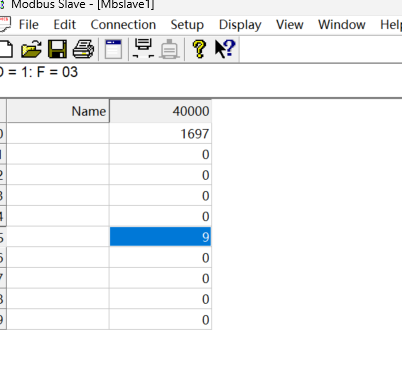
Configure a Modbus slave device; data can then be observed at the corresponding slave data addresses.