Command Registration
This section describes how to register a command.
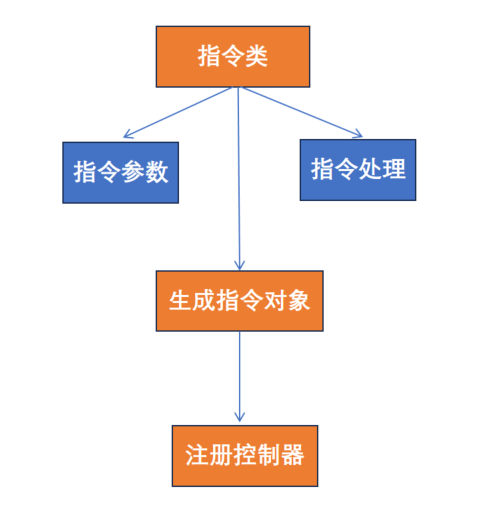
Command registration flow:
Usage example:
/**
 * @brief Command construction and registration
 */
void RegPrintq() {
    // 1. Command configuration: name, trigger mode, task limits, etc.
    RLCmdConfigAPI cfg;
    cfg.SetFuncName("printq");
    // Set look-ahead mode; default WAIT_MOVE_PAUSE
    cfg.SetLookAhead(CmdLookAheadImplAPI::WAIT_MOVE_PAUSE) ;
    // Set task limit type
    cfg.SetTaskLimit(TaskLimitAPI::TASK_NO_LIMIT);
    // Set step-back type
    cfg.SetStepBack(StepBackAPI::STEP_BACK_SKIP);

    // 2. Create command from configuration
    BEGIN_COMMAND_API(cfg)

    // 3. Configure parameter checkers for the command
    PARAMS_API(
        ArgTypeAPI(ValueTypeAPI::VALUE_ROBTARGET),
        ArgTypeAPI(ValueTypeAPI::VALUE_WOBJ),
        ArgTypeAPI(ValueTypeAPI::VALUE_STRING)
    )

    // 4. Forward execution body
    RLCmdActionAPI cmd_func = [=](std::shared_ptr<RLCallFrameAPI> frame,
        std::vector<std::shared_ptr<SymbolVarBaseAPI>> args) -> CommandExecuteAPI {
        // Get nested data
        auto cart_pos = args[0]->GetSubUnit("ROT");
        std::vector<double> robs_q = {
            cart_pos.GetSubUnit("Q1").GetDoubleVal(), cart_pos.GetSubUnit("Q2").GetDoubleVal(),
            cart_pos.GetSubUnit("Q3").GetDoubleVal(), cart_pos.GetSubUnit("Q4").GetDoubleVal()};

        CommandExecuteAPI cmd_exec = [=]()
        {
            LOG_INFO << "printq:" << frame->GetCmdTask() << " " << frame->GetCmdFile() << " " << frame->GetCmdLine();

            LOG_INFO << "printq Q1=" << robs_q[0] << " Q2=" << robs_q[1] << " Q3=" << robs_q[2] << " Q4=" << robs_q[3] << " ";
            LOG_INFO << "printq str=" << args[2]->GetStringVal();
            return CommandProcessResultAPI::CMD_PROCESS_SUCCESS;
        };
        return cmd_exec;
    };
    EXECUTE_API(cmd_func)

    // 5. Step-back execution body (add as needed)
    RLCmdActionAPI cmd_func_stb = [=](std::shared_ptr<RLCallFrameAPI> frame,
        std::vector<std::shared_ptr<SymbolVarBaseAPI>> args) -> CommandExecuteAPI {
        // Get nested data
        auto cart_pos = args[0]->GetSubUnit("ROT");

        std::vector<double> robs_q = {
            cart_pos.GetSubUnit("Q1").GetDoubleVal(), cart_pos.GetSubUnit("Q2").GetDoubleVal(),
            cart_pos.GetSubUnit("Q3").GetDoubleVal(), cart_pos.GetSubUnit("Q4").GetDoubleVal()};

        CommandExecuteAPI cmd_exec = [=]()
        {
            LOG_INFO << "printq:" << frame->GetCmdTask() << " " << frame->GetCmdFile() << " " << frame->GetCmdLine();

            LOG_INFO << "printq Q1=" << robs_q[0] << " Q2=" << robs_q[1] << " Q3=" << robs_q[2] << " Q4=" << robs_q[3] << " ";
            LOG_INFO << "printq str=" << args[2]->GetStringVal();
            return CommandProcessResultAPI::CMD_PROCESS_SUCCESS;
        };
        return cmd_exec;
    };
    EXECUTE_STB_API(cmd_func_stb)

    // 6. Register the command with the controller
    REGISTER_COMMAND_API
}
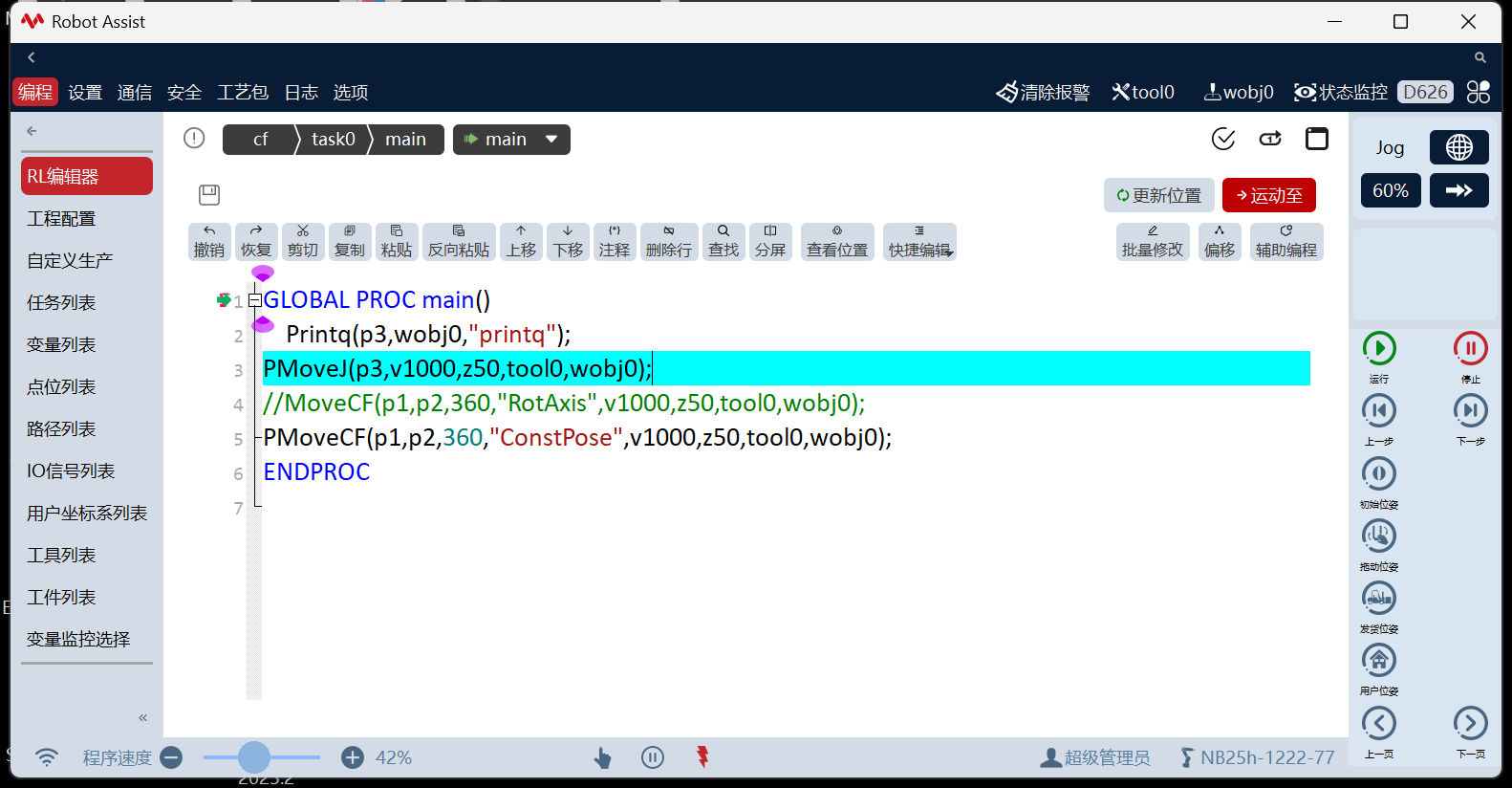
When printq is used in the HMI, reaching that command prints the quaternion in the log. Users can inject the command through the client plugin in auxiliary programming for convenient use of newly registered commands.

For a complete example, see examples/rl_cmd.hpp.
This command prints the quaternion of a Cartesian variable.