Language Pack
Creating a Language Pack
-
The client plugin library provides language-pack loading and display for the UI. Client plugins support only .qm files loadable by Qt Creator.
-
During client plugin development, the default language is English; the HMI controls and loads language packs centrally. Steps for loading and usage:
1. During development, use tr() for all strings that need translation.
2. Create a resource file in Qt Creator
3. In the resource file, add a folder structure: /pluginName/language/
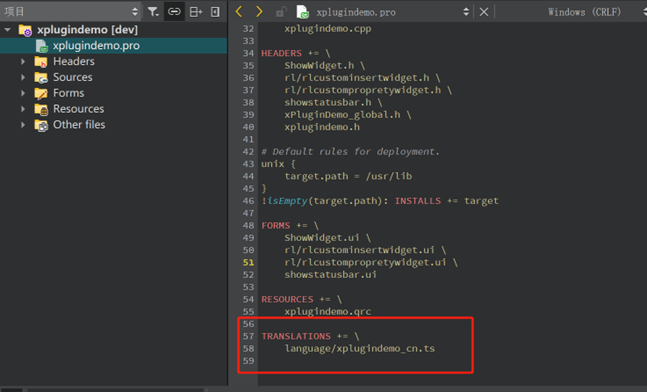
4. Add to the .pro file: TRANSLATIONS += language/pluginName_cn.ts
5. After coding, use Qt Update Translations to generate the pre-translation .ts file.
6. Open the .ts file in Linguist from the Qt development package and translate. Save when done.
7. After translation, use Qt Release Translations to generate the .qm file.
8. Build the user plugin
Creating .qm Files
The following describes steps and methods to generate .qm files. <br/>
Step 1: In the Qt project .pro file, add (TRANSLATIONS += language/xplugindemo_cn.ts) to set the path for generated .ts files.
 <br/>
<br/>
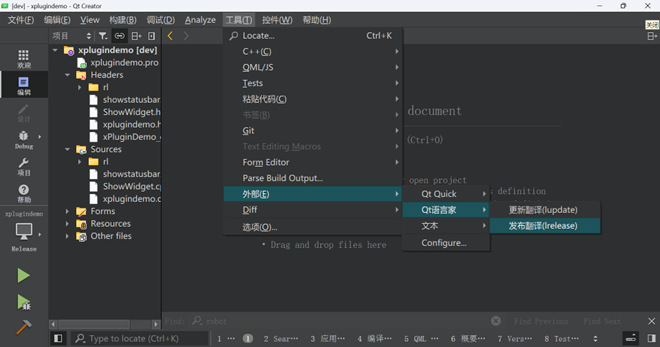
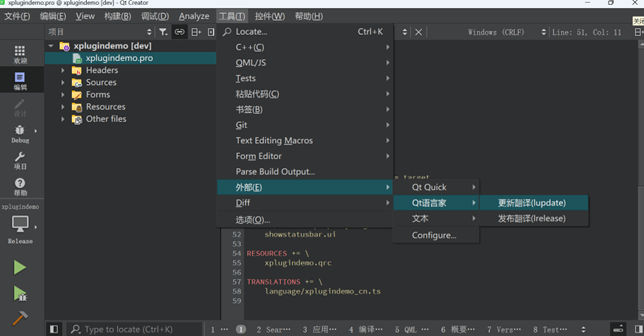
Step 2: In Qt, click Tools -> External -> Qt Linguist -> Update Translations to generate the .ts file.
<br/> Step 3: Open the generated .ts file with Qt Linguist.
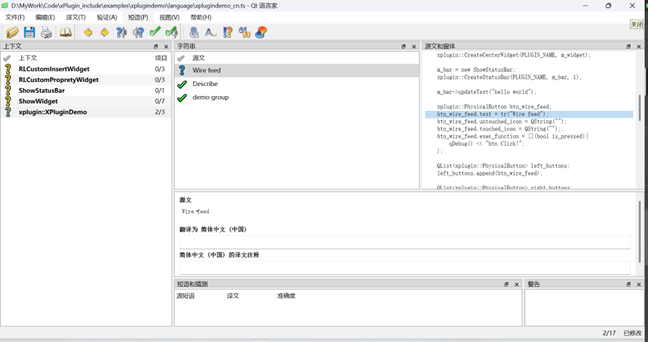
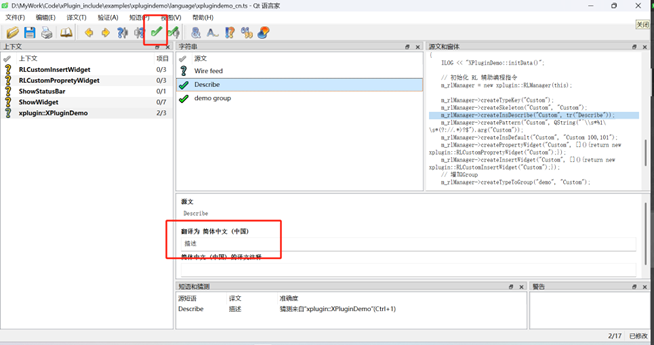
<br/> Step 4: Select text to translate and edit the target language in Translation to: below. After editing, click the checkmark icon above to mark the current string as done. Save when all strings are translated.
<br/> Step 5: Back in Qt, click Tools -> External -> Qt Linguist -> Release Translations to generate the .qm file.