Installation and Usage
Import Plugin
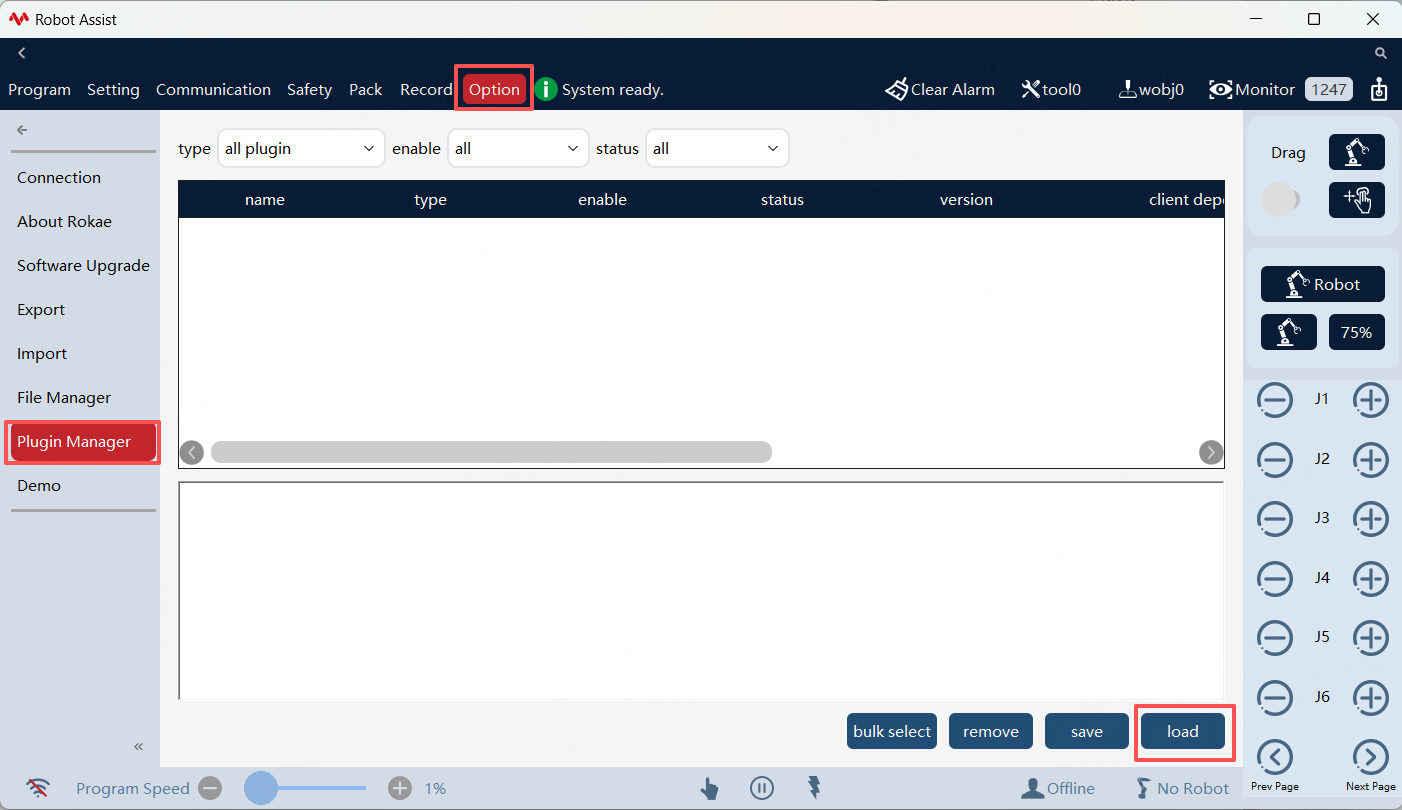
- Import the packed plugin zip package in the HMI: Options -> Plugin Management -> Import package.
Enable Plugin
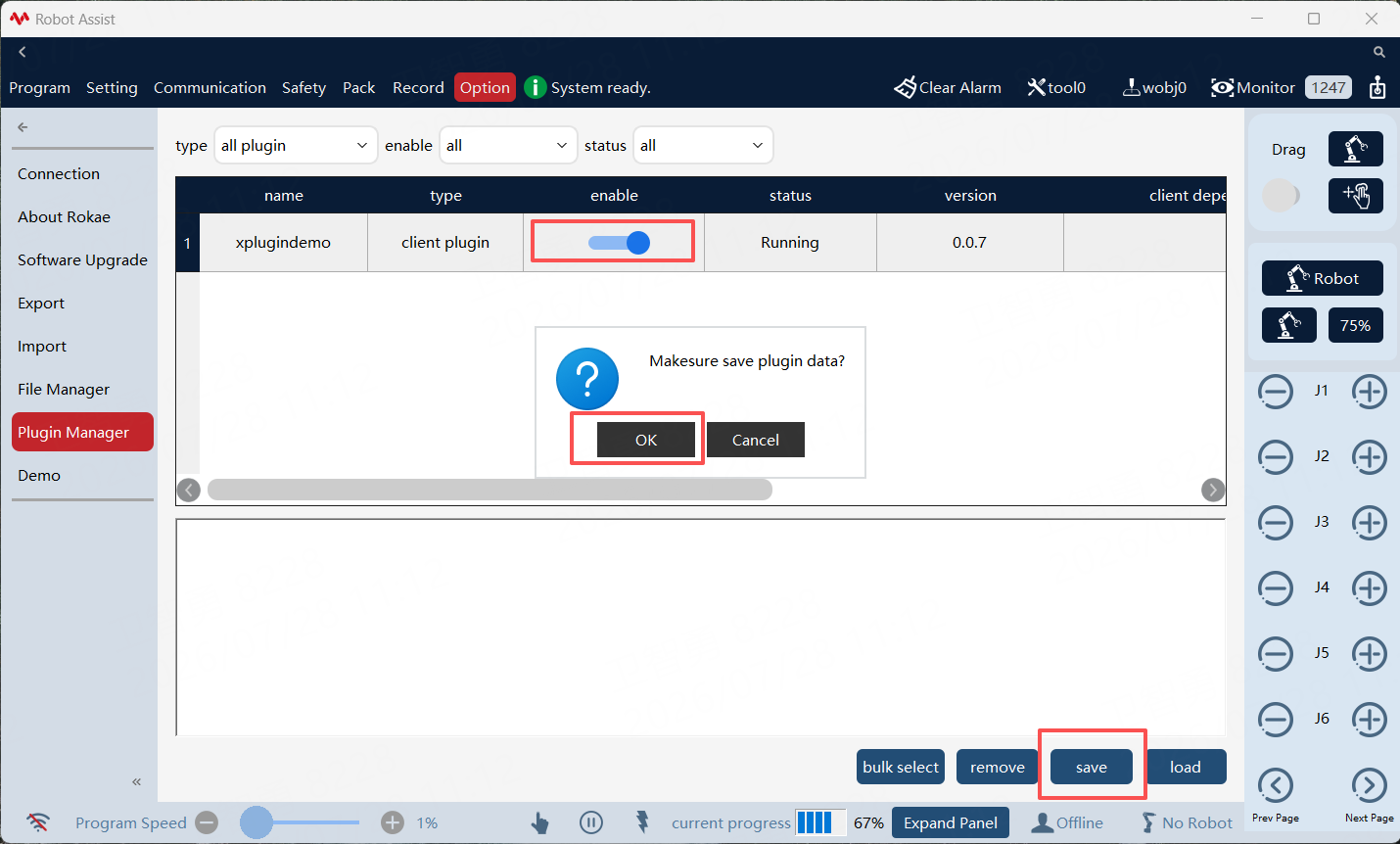
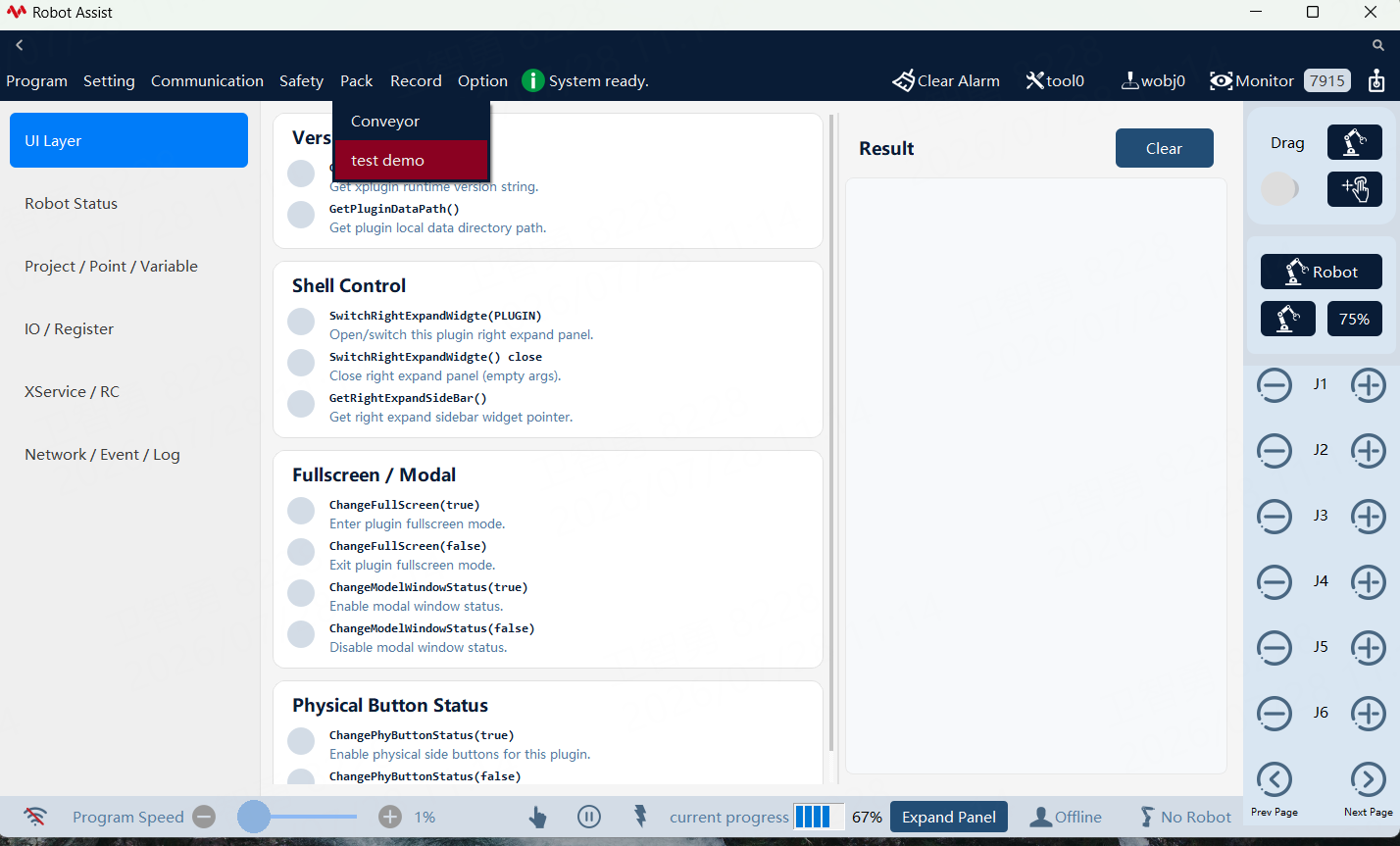
- Turn on the Enable switch for the imported plugin and click Save. After confirming the save dialog, you will be prompted to restart. After restart, the plugin you just created will appear under the Process Package dropdown menu.
tip
The package structure must comply with Configuration Format. You can check the loading status in Plugin Status on the status bar.