Network communication
Real-time motion commands and status are sent over UDP unicast. On first setup, typical issues are wrong local IP, firewall blocking, packet loss, and NIC compatibility.
UDP socket open failure
Messages like “invalid parameter” or “invalid address” usually mean the local (host) IP is missing or wrong.
Finding the local IP
- Ubuntu:
ifconfig - Windows: Settings → Network & Internet
- Windows CLI:
ipconfig
Example: filling in the local IP
int main() {
    // Robot 10.0.2.160, SDK on Windows PC, local IP 10.0.2.121
    rokae::xMateRobot robot("10.0.2.160", "10.0.2.121");

    // Or when connecting:
    rokae::xMateRobot robot2;
    robot2.connectToRobot("10.0.2.160", "10.0.2.121");
}
No robot status before timeout
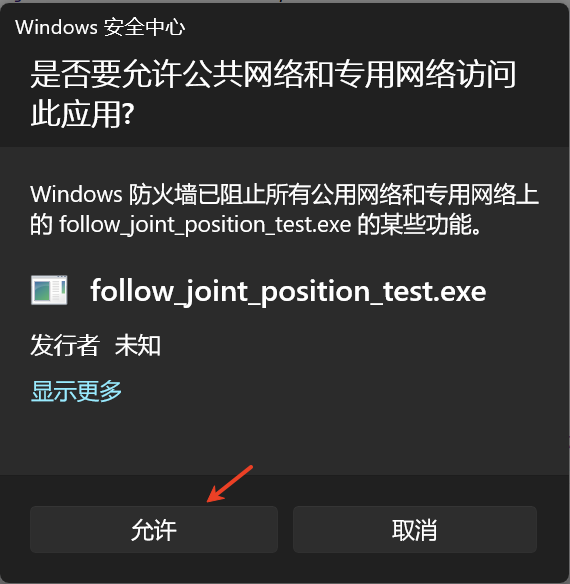
If the IP is correct but you still see no robot status before timeout, UDP is likely blocked.
Windows
- Check firewall inbound rules for the app / ports.

- Allow the firewall prompt on first run.
Linux
Verify data reception:
nc -vul -p 1337
Run any real-time example and check for traffic from the robot. If 1337 / 1338 never receive data, inspect firewalls by type.
UFW
sudo ufw status
sudo ufw allow 1337/udp
sudo ufw allow 1338/udp
sudo ufw status
If needed, disable:
sudo ufw disable
firewalld
sudo firewall-cmd --state
sudo firewall-cmd --list-ports
sudo firewall-cmd --add-port=1337/udp
sudo firewall-cmd --add-port=1338/udp
sudo firewall-cmd --permanent --add-port=1337/udp
sudo firewall-cmd --permanent --add-port=1338/udp
sudo firewall-cmd --reload
If needed:
sudo systemctl stop firewalld
sudo systemctl disable firewalld
iptables
sudo iptables -L
sudo iptables -A INPUT -p udp --dport 1337 -j ACCEPT
sudo iptables -A INPUT -p udp --dport 1338 -j ACCEPT
You may temporarily stop the service or flush rules per your distribution.
Power-off due to packet loss
Logs often show packet loss leading to power-off.
- Some NICs (e.g. Intel I219-LM) are more loss-prone; try Realtek if possible.
- Set network tolerance; common values 20–30; above 50 warrants a deeper network check.
robot.setRtNetworkTolerance(20, ec);
- Check whether another wrapper shares port 1337 and causes congestion.
Protocol / network errors
SDK reports protocol error (xCore minimum 2.3.0.0)
Often the same class of issue: NIC buffering/forwarding delays real-time packets — verify NIC model and link stability.
Motion timeout / UDP open failure
Upgrade to a verified build (e.g. 1124 or a newer trunk) to rule out fixed defects.
“Network connection” error
realtime: Failed to create RT controller.network: network connection
Besides the network itself, check:
- Tool/workobject frames are set correctly
- Order of
startMove/startLoopcalls